
Before you start
| What | Details |
|---|---|
| An account | Created for you by an RTB administrator. See Getting an account. |
| Your e-mail and password | The address the account was created with, and the password you chose. |
| A browser | Google Chrome, Microsoft Edge or Firefox. |
Signing in
- Open TDMP in your browser.
- Leave the tiles on the left alone — TDMP is already ticked. Pick another tile only if you want to land in that system instead.
- Type your e-mail, then your password.
- Click Sign In.
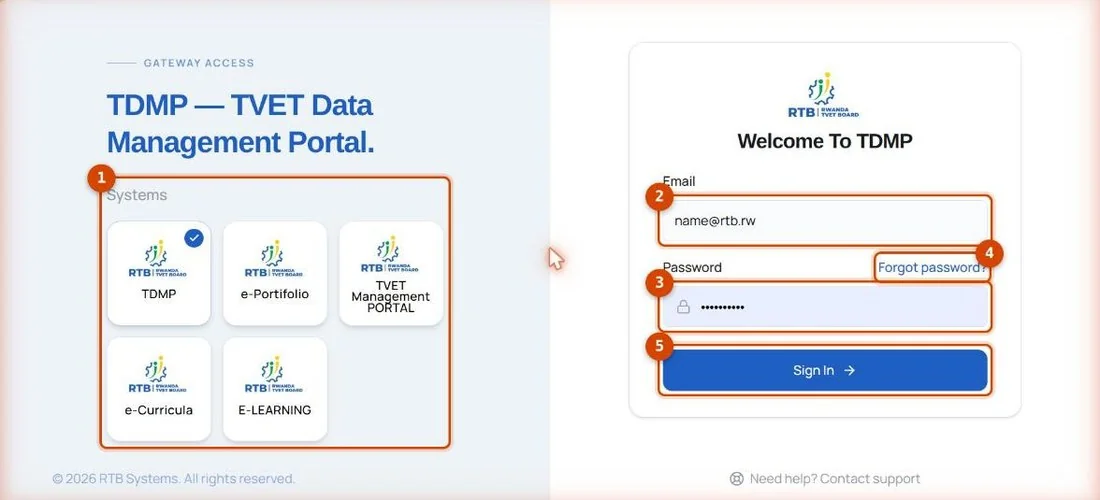
- 1The other RTB systems — sign in here, land there.
- 2Your e-mail.
- 3Your password.
- 4Forgotten it? Click here and follow the e-mail.
- 5Sign In.